At the beginning of the month I released the first version of "Do It Yourself Agile." The response was tremendous and I am very grateful to the many people that blogged and tweeted about it. I am also very thankful for all of the feedback and suggestions that I have received. In total, the book has now been downloaded more than 4,000 times.
Here is the second version, which takes into account all of your feedback and also incorporates new sections based on recent blog posts. Please keep the feedback coming. If there is something you feel is missing, let me know. New material usually starts out as a blog post first, so you'll get immediate feedback.
While I believe that an Agile coach, whether recruited internally or externally, is still the best, fastest, and least expensive (in terms of ROI) path to Agile success, not everyone can do that. It may be politics, budget, or some other reason that prevents folks from using seasoned coaches. In any case, DIY Agile is here to stay, and the book "Do it Yourself Agile" is intended to be a resource you can lean on as you transition to Agile on your own.
Let me know what you think. I look forward to producing more versions incorporating your feedback.
The book is freely downloadable, no strings attached. I only ask that if you point people to the book, please point them to this blog post rather than linking directly to the pdf, copying the pdf, or providing the content in some other format.
"Do it Yourself Agile" (pdf) 180+ pages
"Do It Yourself Agile" - condensed web version
Showing posts with label Software Development. Show all posts
Showing posts with label Software Development. Show all posts
Tuesday, September 29, 2009

Wednesday, September 23, 2009
Software Development is a Search Algorithm
How we think about something can have a profound effect on how we do that thing. Thinking of the process of software development as a search algorithm rather than as the process of building software can lead to making better decisions about the products we create and the way we go about creating them.
The Search For Value
The end goal of designing software is to produce something which provides a benefit that is large enough for one or more customers to at least cover the cost of its production. Of course, the higher the value of that benefit, the more that folks will pay for it. On the other side of the equation you want to provide that benefit at the lowest cost. There is a point of diminishing returns both in looking for the highest possible value and in looking for the lowest possible cost.
As much as we might want this process to be deterministic, it isn’t. Just because you produce something doesn’t mean people will use it, and just because they use it doesn’t mean they will pay you what you want for it. The only way to truly find out is to produce something and see how much value can be realized from it, for instance by charging money for it.
The Max For the Minimum
In other words, producing software is a classic min/max search. You are searching for business opportunities with maximum value and implementations which minimize cost. You can think of it as a huge graph of opportunities and below each opportunity node is another graph of possible implementations. Complicating this is the fact that you would like the features to be close to each other from a market perspective in order to maximize the leverage of your sales and marketing departments and you would also like to have as much common implementation as possible in order to maximize the leverage of your existing implementation and engineering resources. For both you would also like to leverage your core competencies.
The faster you can traverse this graph, the faster you will unlock business value. Unfortunately, you only have a finite amount of time and resources, so you can’t run a search by producing all possible product variations and seeing how they sell. Plus, the search space is infinite. So, you have to make predictions. You look for ways to eliminate certain paths and to get more information about other paths without actually implementing them. Whatever your methods are for figuring out what to produce, they are all based around searching the solution space as fast and efficiently as possible.
Searching For Value in All The Right Places
You may think that only parts of the development process are parts of this search, but doing so will limit the effectiveness of your searching. For instance, if you arbitrarily decide that a particular feature is what your customer wants and you then spend a huge amount of time talking to your customer base about the requirements for that feature, you are limiting your search to the various ways to do that feature, but what if the perfect implementation of that feature is only worth $10? You are then searching within a low value set of possibilities. Before you dive in too deep, spend a fair amount of time at a high level so as to maximize the value of searching at the next level down.

The entire development lifecycle is part of your search. The first level of searching is to find potential high value opportunities from which to create new functionality. But don’t fall in love with a particular opportunity too quickly because implementation may cost more than the value to the customer. There are usually a variety of ways to implement something, so don’t fall in love with a particular design too quickly because there may be a cheaper implementation. And of course in order for the customer to determine whether they want to pay you or not they need to get their hands on it or at least see it in action. So, you are searching for opportunities and then within the opportunities you are searching for implementations and then you need to circle back with the customer to check the results.
Next: Specification is Planning is Design is Coding is Approximation
The Search For Value
The end goal of designing software is to produce something which provides a benefit that is large enough for one or more customers to at least cover the cost of its production. Of course, the higher the value of that benefit, the more that folks will pay for it. On the other side of the equation you want to provide that benefit at the lowest cost. There is a point of diminishing returns both in looking for the highest possible value and in looking for the lowest possible cost.
As much as we might want this process to be deterministic, it isn’t. Just because you produce something doesn’t mean people will use it, and just because they use it doesn’t mean they will pay you what you want for it. The only way to truly find out is to produce something and see how much value can be realized from it, for instance by charging money for it.
The Max For the Minimum
In other words, producing software is a classic min/max search. You are searching for business opportunities with maximum value and implementations which minimize cost. You can think of it as a huge graph of opportunities and below each opportunity node is another graph of possible implementations. Complicating this is the fact that you would like the features to be close to each other from a market perspective in order to maximize the leverage of your sales and marketing departments and you would also like to have as much common implementation as possible in order to maximize the leverage of your existing implementation and engineering resources. For both you would also like to leverage your core competencies.
The faster you can traverse this graph, the faster you will unlock business value. Unfortunately, you only have a finite amount of time and resources, so you can’t run a search by producing all possible product variations and seeing how they sell. Plus, the search space is infinite. So, you have to make predictions. You look for ways to eliminate certain paths and to get more information about other paths without actually implementing them. Whatever your methods are for figuring out what to produce, they are all based around searching the solution space as fast and efficiently as possible.
Searching For Value in All The Right Places
You may think that only parts of the development process are parts of this search, but doing so will limit the effectiveness of your searching. For instance, if you arbitrarily decide that a particular feature is what your customer wants and you then spend a huge amount of time talking to your customer base about the requirements for that feature, you are limiting your search to the various ways to do that feature, but what if the perfect implementation of that feature is only worth $10? You are then searching within a low value set of possibilities. Before you dive in too deep, spend a fair amount of time at a high level so as to maximize the value of searching at the next level down.

The entire development lifecycle is part of your search. The first level of searching is to find potential high value opportunities from which to create new functionality. But don’t fall in love with a particular opportunity too quickly because implementation may cost more than the value to the customer. There are usually a variety of ways to implement something, so don’t fall in love with a particular design too quickly because there may be a cheaper implementation. And of course in order for the customer to determine whether they want to pay you or not they need to get their hands on it or at least see it in action. So, you are searching for opportunities and then within the opportunities you are searching for implementations and then you need to circle back with the customer to check the results.
Next: Specification is Planning is Design is Coding is Approximation
Specification is Planning is Design is Coding is Approximation
All Phases of Software Development are Variations on a Theme
It is easy to think of specification, estimation, planning, design, implementation, and customer feedback as completely separate and unrelated activities. However, a useful way to think about them is as variations on a theme where the theme is producing a product which provides the best return on investment as measured by the ratio of revenues to cost. Each of the phases of the development life-cycle can be thought of as a combination of discovery, prediction, and design. The prediction comes into play when you make a decision. When you decide that you will schedule a particular requirement to be implemented in your product, you are predicting that the end result is something that will provide value to the customer. You have no way of being sure until the customer has actually used it as part of their normal course of business.What does it matter if in fact it is true that all of these activities are variations on a theme? I believe it provides a conceptual framework that can help us make better decisions about the products we create and the way we go about creating them.
Requirements Gathering is Not Design
Requirements gathering is not the process of finding out what customers need, it is the process of understanding the customer. The problem with producing elaborate requirements is not just that requirements change over time or that people change their minds, it is that users can’t tell you what they want because they don’t know. Customers cannot tell you ahead of time what they will actually spend money on. At best, requirements are an approximation of what customers need and a best guess of what will provide them value at the time that they actually use what you implement for them.
Gathering requirements from customers and the market in general is much like removing compiler errors. For any particular module that you are working on, the first error is the most accurate and accuracy goes downhill rapidly from there. After you fix the first error, the results from your compiler or IDE will probably be very different. This is the same with customer requirements. For any particular functional area, the first thing customers ask for is most likely the most accurate. Once they see the new version which incorporates that feedback, what they want next is probably very different than what they would have asked for next before they saw the new version.
The most you can hope for is to gather information and ideas that are useful in producing a successful product. If you just build whatever customers ask for, then you are ceding design to them. Customers cannot design for you. If they can then they are not just customers they are also designers. It may be that in your situation your customer is also a designer, but then you should explicitly think of them that way. Otherwise, you run the risk of making the mistake of blending the process of gathering requirements and creating a design.
When you have multiple customers, it is especially true that the customer cannot tell you what they need. It is rare that you will be able to do everything that all customers asked for, let alone everything that any one customer asked for and thus you will have to predict which combination of requests that your customers asked for will produce the best result.
Specification is Design
When you write a Marketing Requirements Document, Product Requirements Document, Specification Document, or whatever combination of documents you create along these lines and whatever you call them, let's call that "specification." A specification is a design. It is a design because you are taking all of the feedback from the customer and saying, at a high level, "this is what will provide value to the customer." You are deciding and predicting that this specification rather than any other specification is the way to go forward. It is the same as deciding that this line of code vs that line of code is the right way to go.Specification is the First Approximation
When working with software, even if you have clear requirements/specifications that you have validated with users, it is not always clear how you will implement them.The specification is an approximation in two ways. First, it is only an approximation of what users actually want. Second, it is only an approximation of the final result. This same statement holds true at every stage of the game, from specification to design, to plans, to estimates, to the code itself. From initial customer interaction to final implementation you are building approximation on top of approximation.
I'm not advocating against specification, estimation, or design. It is useful and even necessary to produce these, and you will often hit on solutions or eliminate problems much more quickly and much more economically than jumping right to implementation, but in the end they are still only an approximation of reality, an interlocking web of educated guesses.
Not until you actually attempt to create something real will you find out how close to reality all of these approximations are and the real costs and difficulties involved. The longer you take to turn these approximations into reality, the more likely it is that they will be inaccurate and the larger those inaccuracies will be.
Estimation is Design
Estimation, which is also another word for approximation, is part of design. If somebody gives you a requirement do you just shout out a random number as the estimate? The accuracy of your estimate depends on the amount of design that you put into it. You may not think of estimation as design, but it is. Let’s say that somebody says “I need a module which will calculate the sum of an array.” If you have such a module at hand, you will give an estimate that involves integrating the existing module into the overall product. Deciding to use that module is a design decision. If you don’t have such a module at hand, you will give an answer based on your prior experience doing the exact same thing. The decision to use an approach similar to a past experience is also a design decision. It is part of creating the final design.
On the other hand, if you are given a more complicated requirement, then you will probably break it down into sub-tasks and estimate those. That forces you to think about what it will really take to implement the requirement. The process of deciding what the subtasks are is actually design. The more design you do, the more accurate you can be. The accuracy of an estimation is on a spectrum from “wild guess” to delivery of product, from complete prediction to statement of fact, from “I believe it will take 10 days” to “it took 103 hours.” The other aspect here is how much is research/design and how much is counting. When well-known tasks are what is at hand, then it is a matter of counting. If you know you need to change 20 dialogs and each change will take 10 minutes then you know the task will take 200 minutes. That’s simple counting. If you need to produce something that has never been done before, then it is a research project and you won’t have accuracy until you have removed all of the uncertainty.
Planning is Design
The specific set of features that go into a product is in fact a design. By selecting that set, you are deciding (predicting) that this is the optimal set of features to achieve a chosen goal. While it is true that you may just be choosing a set of work items that sum up to the available time for a release, that is still design, but perhaps not the optimal design.Design is Design
Obviously, the activities that we associate with “the design process” are part of product design. The design that you have prior to implementation may be a fully fleshed out design document with lots of illustrative figures, it may be in the form of UML, or it might be entirely in your head. As with requirements and estimation, the design is also an approximation. The design that you do prior to implementation is only an approximation because during implementation you have still more design to do and you will discover information that you didn’t have during your initial design.
Implementation is Design
During implementation you are doing two kinds of design: micro-design and re-design. Micro-design is all of the little decisions you make while coding. Will you use a vector or a doubly-linked list? Will you specify an index or let the RDBMS do it for you on the fly? Re-design happens when you find out that once it came time to implement something, an unexpected problem arose. For instance, the design specifies the use of a particular third-party library, but in reality that library doesn’t provide the functionality that it claimed to provide. Another example is that the implementation works fine, but doesn’t provide the expected performance and no amount of tweaking seems to be doing the trick.
Final Validation of the Design
Finally, when you deliver new features to customers, you discover how close your approximations were. You discover what customers like and don’t like, what they use and what they don’t use, what they will pay for and what they will not pay for, what provides value and what does not provide value. This information can then be used to determine what you will put more effort into and what you will discontinue. The tighter you can make the loop from discovery to delivery, the faster you can produce the product that your customers really value.
Next: Software Development is a Search Algorithm
Sunday, September 20, 2009
Better, Stronger, Faster Programmers - We Have The Technology
I recently got the following comment/question via reddit:
programmer.upgrade(infinitely);
Let’s ignore the problem of comparing programmers and just assume that I have found a training regimen which creates better, faster, stronger programmers. If the programming effort of each individual was the only thing that determined the success of a project, we’d be all set, wouldn’t we? But most projects consist of at least two or more people interacting according to some sort of process. Many projects have nebulous goals and/or requirements. Quite a few projects get cancelled or shelved, either because they were clearly headed for failure or something more interesting came along. And let’s be honest about those so-called “shelved” projects. Do they ever come off the shelf? Don’t we just start over when we get back to that project?
All of this adds up to a system which has complex and unpredictable behavioral characteristics which are different than the sum of its parts. It isn’t enough to invest in better, faster, stronger programmers if the result never sees the light of day. Before investing a penny on any improvement project, wouldn’t it be better to have a way to very quickly find out what problems exist and very quickly see whether or not a solution to a problem actually makes a difference?
Let’s face it, traditional development methods aren't very good at providing visibility into the true state of the situation, nor at providing feedback on whether anybody is actually headed in the right direction. Agile is not a silver bullet and won't actually improve anything all by itself. Simply put, Agile is an improvement framework. It will expose quite painfully where the problems are, it is up to you to recognize them and solve them.
Programmer Planet
Any time I talk to folks about Agile, I point out that there is no magical place to get an army of superhuman programmers. According to IDC, there are ~12 million programmers out there. Those programmers include you, the folks you work with, and millions of other programmers just like the ones you’ve met.
Whoever you have now is pretty much the team that you are going to have to go forward with. Sure, you can probably switch who you have now with other folks, but that's no guarantee that you will get "better" programmers, only that you will get different ones. Better figure out how to make the most of the resources you have. And while I am a big fan of training and self-improvement at the individual level, why not leverage that investment by improving the framework within which those individuals work?
"Can we put this effort into making programmers better faster and stronger? Agile purveyors act as if they have an army of superhuman programmers already at their disposal and the only goal is utilizing them correctly."Interesting observation. It raises all sorts of interesting questions, such as “what is better?” Really though, what is a “better programmer?” How do I know which programmers are better than others? How can I measure that? Is it the ones that produce the most lines of code? Is it the fewest defects? What if a programmer produces no defects, but very few lines of code and the code that they do produce isn’t used by anybody? How do I really know that it has few defects if it isn’t used by anybody? Perhaps the tests that would show that it is defective weren’t written because, again, nobody cares about that code?
programmer.upgrade(infinitely);
Let’s ignore the problem of comparing programmers and just assume that I have found a training regimen which creates better, faster, stronger programmers. If the programming effort of each individual was the only thing that determined the success of a project, we’d be all set, wouldn’t we? But most projects consist of at least two or more people interacting according to some sort of process. Many projects have nebulous goals and/or requirements. Quite a few projects get cancelled or shelved, either because they were clearly headed for failure or something more interesting came along. And let’s be honest about those so-called “shelved” projects. Do they ever come off the shelf? Don’t we just start over when we get back to that project?
All of this adds up to a system which has complex and unpredictable behavioral characteristics which are different than the sum of its parts. It isn’t enough to invest in better, faster, stronger programmers if the result never sees the light of day. Before investing a penny on any improvement project, wouldn’t it be better to have a way to very quickly find out what problems exist and very quickly see whether or not a solution to a problem actually makes a difference?
Let’s face it, traditional development methods aren't very good at providing visibility into the true state of the situation, nor at providing feedback on whether anybody is actually headed in the right direction. Agile is not a silver bullet and won't actually improve anything all by itself. Simply put, Agile is an improvement framework. It will expose quite painfully where the problems are, it is up to you to recognize them and solve them.
Programmer Planet
Any time I talk to folks about Agile, I point out that there is no magical place to get an army of superhuman programmers. According to IDC, there are ~12 million programmers out there. Those programmers include you, the folks you work with, and millions of other programmers just like the ones you’ve met.
Whoever you have now is pretty much the team that you are going to have to go forward with. Sure, you can probably switch who you have now with other folks, but that's no guarantee that you will get "better" programmers, only that you will get different ones. Better figure out how to make the most of the resources you have. And while I am a big fan of training and self-improvement at the individual level, why not leverage that investment by improving the framework within which those individuals work?
Sunday, July 12, 2009
Guilty Confessions of a Software Developer

I tried to look like I was still mulling over the question when Mr. J continued his interrogation, "The description of this feature is incomplete. What should happen when the -t option is combined with -V and there are no other options given?" I was sweating and nervous, my chest felt tight and I knew I was right on the edge of panic.
I couldn't remember the answer to Mr J's question. I'm not sure I ever knew it and the customer that had asked for this new feature had gone out of business 2 months after we implemented it, which was 3 months ago. I was helpless and trapped. The harsh light and the look in his eyes wasn't helping. He knew that I didn't know. I wouldn't be able to hold out for much longer, it felt like the room was starting to spin.
Finally I couldn't take it any more. I cracked under the strain and confessed what he already suspected. "I don't know. I wrote that code so long ago, I just can't remember. I'm sorry." Mr. J shook his head and walked out of my office saying, "I'll figure it out."
Ok, so this is a bit of a dramatization loosely based on a real event, but being in the situation where you are asking about or needing information about something that happened months ago in the development process is fairly typical in a traditional development project.
Perhaps you are the developer in this situation or the person trying to write the tests for the functionality. Or perhaps you were trying to write the documentation, do the demo for the user, market it, sell it, or... use it? As an industry, we've become numb to this problem. Sure, we blame specific situations or individuals and we often try to take corrective action... but it seems to keep happening again and again.
As an industry, we try to write better requirements, but it doesn't seem to help. The tough questions keep coming. We try to take a bit more time on the design, but things just get worse. The questions get more complicated. We try to do more testing and hire "better" people, but we keep running into situations where we just don't have the answer, there's no supporting documentation, and we promise we'll try harder next time.
Why does this keep happening? What can be done to prevent it? It turns out that there is a simple explanation as well as a practical solution.
Leveraging Human Strengths in the Development Process
In the previous post we saw two ways that traditional development is like the game of telephone. First, communication suffers from translation errors at each stage of the development cycle. Second, the frequent attempts to detect, prevent, and recover from translation errors require people to remember details about work they did weeks or months in the past. This is unfortunate because people are much better at remembering something they did within the past couple of days than they are at remembering something they did weeks or months ago.
One of the advantages of Agile development is that it leverages human strengths and minimizes the need for humans to do things that humans do poorly. In the case of communicating important concepts throughout the development cycle, Agile relies on four tools: user stories, one piece flow, conversations, and reduced documentation.
A user story is a simple statement in plain English of a value proposition that the end user of the software is interested in. For instance, "As a user, I want to purchase an item I am looking at with a single click." The main value of user stories for communication is that they are used by everybody involved in the development of that story, from user to tester. While the story may be translated into a design document or test cases, the original intent of the user is always available as a double-check via the user stories.
An important part of increasing communication effectiveness is a concept called "one piece flow" which comes from Lean. The idea of one piece flow is that each aspect of developing a user story happens in rapid succession, and that each team member focuses on a single user story at a time. The result of one piece flow is that the time between when the team first commits to doing a user story and they can ship it fully developed, tested, and documented is very short. The timeframe is generally on the order of a week at most and usually days.
Because user stories go from start to finish in such a short period of time, the bulk of the communication that occurs on behalf of a user story is done via conversations. Of course, Agile teams do document their work, but it is for the purpose of creating an audit trail, not for the purpose of short-term communication between team members. Conversations are a much better way to communicate technical concepts than documentation.

Conversations between Agile teams and their customers
From the perspective of a customer, the time between when they provide detailed information about a feature and when they can see a demo of the result is often as short as a month. Also, the scope of functionality is going to be much less. The reduction in timeframe and scope means that it is much more likely that a customer will remember exactly why they wanted something and that they will be much more able to provide useful feedback on the result.
That doesn't mean that all customers have to be involved every month, only that there is an opportunity to go full circle with customers over a much shorter period of time than with traditional development. Consequently, miscommunication can be caught earlier and corrected faster.

Conversations in an Agile team
From the perspective of individual team members, interaction is now focused on a specific user story at any given time and the timeframe of its development is on the order of days rather than months. Work can be initiated, rapidly completed, and then confidently considered done instead of having an ever growing list of work in progress. With Agile development, the amount of work in progress is very small and is constantly changing. There is much less of a need to rely on piles of documentation or on the long term memory of oneself or others.
Are you an Agile Do It Yourselfer? Check out the web-only book
Traditional Development == The Game of Telephone?
In theory, traditional development is a good idea. The work of development is broken up into stages in order to reduce risk and increase efficiency. But in reality a significant proportion of projects are shelved, cancelled, or delivered with low quality. In part, traditional develelopment has problems for the same reasons that it is fun to play the game of telephone.
I remember fondly playing a game called telephone in elementary school. In the game of telephone, a message is whispered from person to person. The fun part is that the last person says what he heard to the whole group and everybody gets a laugh out of how a phrase such as "Send reinforcements, we're going to advance" gets inadvertently translated into "Send three and fourpence, we're going to a dance". This is very similar to what happens in traditional software development projects.

Figure: The Traditional Development Telephone Game
The figure above represents a typical traditional development process and some typical times between handoffs. At each stage, instead of whispering the information along, the participants create and use a series of documents, each of which serves a different purpose. As the information moves from stage to stage it needs to be translated into an appropriate form for each stage of development. The documentation also serves as a record of information that was discovered along the way and the decisions and justification for decisions that were made along the way.
The product manager talks to customers and those conversations are translated into Marketing Requirements Documents (MRDs) which are translated into engineering requirements which are translated into specifications which are translated into designs which are eventually translated into code. The end result is then given to the user who often says something pithy like "that's not what I wanted."

At each stage of development there is a risk that the intent from the previous stage is mistranslated. Another way to think of the mistranslation is data corruption. The larger the amount of work that is flowing from stage to stage, and the longer it takes for work to pass from stage to stage, the more likely it is for information to become "corrupted" and the greater the extent of the corruption. Of course, people don't just blindly translate information without interacting with people from earlier stages, they ask for clarification when they think they need it.
Next: Leveraging Human Strengths in the Development Process
I remember fondly playing a game called telephone in elementary school. In the game of telephone, a message is whispered from person to person. The fun part is that the last person says what he heard to the whole group and everybody gets a laugh out of how a phrase such as "Send reinforcements, we're going to advance" gets inadvertently translated into "Send three and fourpence, we're going to a dance". This is very similar to what happens in traditional software development projects.
Figure: The Traditional Development Telephone Game
The figure above represents a typical traditional development process and some typical times between handoffs. At each stage, instead of whispering the information along, the participants create and use a series of documents, each of which serves a different purpose. As the information moves from stage to stage it needs to be translated into an appropriate form for each stage of development. The documentation also serves as a record of information that was discovered along the way and the decisions and justification for decisions that were made along the way.
The product manager talks to customers and those conversations are translated into Marketing Requirements Documents (MRDs) which are translated into engineering requirements which are translated into specifications which are translated into designs which are eventually translated into code. The end result is then given to the user who often says something pithy like "that's not what I wanted."

At each stage of development there is a risk that the intent from the previous stage is mistranslated. Another way to think of the mistranslation is data corruption. The larger the amount of work that is flowing from stage to stage, and the longer it takes for work to pass from stage to stage, the more likely it is for information to become "corrupted" and the greater the extent of the corruption. Of course, people don't just blindly translate information without interacting with people from earlier stages, they ask for clarification when they think they need it.
When clarification is needed, such as when somebody is writing a test and has a question about how a feature is supposed to work, it requires a conversation with the author of the documention. There is no guarantee that the author is available when needed, knows the answer themselves, or can find the answer in the supporting documentation that they themselves used. That then requires another conversation with the architect, and then the architect with the product manager and then the product manager with customers. The customers may have given their feedback based on ideas they had during the discussion with the product manager but have long since forgotten. The further back in the chain you go, the harder it will be for people to remember the details required to answer clarifying questions.
People aren't very good at remembering the exact details of the work that they did weeks or months in the past. That’s one of the main reasons for creating the documents in the first place. When people are routinely put in the position of having to do something they are not good at, it leads to stress, lower morale, and mistakes. [See "Guilty Confessions of a Software Developer"]
Ok, so now we have a good idea of how customer intent can get lost in translation and how the people developing the software can get stressed out. While that's all very interesting, it isn't very useful unless we can figure out how to act on this information.
Next: Leveraging Human Strengths in the Development Process
Tuesday, February 10, 2009
Poll - Retrospectives, The Benefits
A retrospective provides a forum for the team to talk on a regular basis about what worked and what didn’t work as a team, to discuss ideas for improvement and to work out problems. Instead of a manager having to unearth all problems and come up with all solutions, a retrospective accomplishes much of this, providing the manager with more bandwidth to deal with sensitive issues and to focus on people management. Retrospectives are particularly effective when combined with short iterations because problems have less time to fester and there are more opportunities to take corrective action.
So, if you were starting a software company with your own money, would you use retrospectives or wouldn't you?
Next: Poll - Change Reviews, The Benefits
So, if you were starting a software company with your own money, would you use retrospectives or wouldn't you?
Next: Poll - Change Reviews, The Benefits
If You Were Starting a Software Company With Your Own Money, Would You... ?
If you were bootstrapping a software company with your own hard-earned cash, what software development practices do you believe in enough that you would use them right off the bat?
You have to vote to see the results. There is a link below each poll which links to the next. There are 15 in all. The first is on your role, the rest are about which dev practices you value.
[Note to the jaded cynics: the polls really do only collect votes, your privacy is assured]
Next: Poll: Continuous Integration Benefits
You have to vote to see the results. There is a link below each poll which links to the next. There are 15 in all. The first is on your role, the rest are about which dev practices you value.
[Note to the jaded cynics: the polls really do only collect votes, your privacy is assured]
Next: Poll: Continuous Integration Benefits
Thursday, February 5, 2009
What I Believe About Agile
Before I get too far into what I believe about Agile, let me give a little background. In 2005, I was a staunch Waterfallian. Stuff happened (blogged elsewhere) and then I turned into an Agile advocate.
There are two important things that I believe about Agile. First, while I do believe that being Agile is more than just a set of practices, I also believe that there are a set of practices which are so good that for me they define what I currently think of as Agile and believe everybody can do them and would benefit from them.
Here are the practices which currently define “being Agile” for me. These are roughly in order of benefit: short iterations (preferably 1-2 weeks), Kanban (as an alternative to short iterations), backlog, one piece flow, continuous integration, whole teams, collocated whole teams, test first/test early, use of a product owner, incremental design, refactoring, unit tests, multi-stage continuous integration, user stories, sustainable pace, task assignment and estimation by team members, stand-up meetings, burn-down and burn-up charts, iteration review, retrospective, and frequent releases. There are other good practices out there, but these are the ones that I believe will become mainstream.
Second, and most importantly:
I truly believe the benefits of Agile are significant enough to focus your resources to get to the point of saying this sentence.
This is based on the belief that the algorithm of Agile is just plain better than traditional development combined with direct observation of the significant benefits experienced by both external and internal teams.
To put it another way, if you are not yet investing in Agile, I believe it is the #1 investment you can make to increase your productivity, quality, revenues, customer satisfaction, profitability, and employee satisfaction. It is possible to invest in Agile but not get these benefits. If that is happening to you, I urge you to stick to your guns and look for help. Getting to Agile is worth the investment. It is worth redirecting resources, changing priorities, and doing what it takes to get there.
The web book “Zero to Hyper Agile in 90 Days or Less” is a good place to start.
You may also be interested in “The Top Ten Reasons I May be Wrong That Agile is Better” .
There are two important things that I believe about Agile. First, while I do believe that being Agile is more than just a set of practices, I also believe that there are a set of practices which are so good that for me they define what I currently think of as Agile and believe everybody can do them and would benefit from them.
Here are the practices which currently define “being Agile” for me. These are roughly in order of benefit: short iterations (preferably 1-2 weeks), Kanban (as an alternative to short iterations), backlog, one piece flow, continuous integration, whole teams, collocated whole teams, test first/test early, use of a product owner, incremental design, refactoring, unit tests, multi-stage continuous integration, user stories, sustainable pace, task assignment and estimation by team members, stand-up meetings, burn-down and burn-up charts, iteration review, retrospective, and frequent releases. There are other good practices out there, but these are the ones that I believe will become mainstream.
Second, and most importantly:
I truly believe the benefits of Agile are significant enough to focus your resources to get to the point of saying this sentence.
This is based on the belief that the algorithm of Agile is just plain better than traditional development combined with direct observation of the significant benefits experienced by both external and internal teams.
To put it another way, if you are not yet investing in Agile, I believe it is the #1 investment you can make to increase your productivity, quality, revenues, customer satisfaction, profitability, and employee satisfaction. It is possible to invest in Agile but not get these benefits. If that is happening to you, I urge you to stick to your guns and look for help. Getting to Agile is worth the investment. It is worth redirecting resources, changing priorities, and doing what it takes to get there.
The web book “Zero to Hyper Agile in 90 Days or Less” is a good place to start.
You may also be interested in “The Top Ten Reasons I May be Wrong That Agile is Better” .
Wednesday, July 30, 2008
Software is Indistinguishable From Magic
Plush red curtains withdraw to the sides of the wide stage, only the dark of midnight can be seen beyond them. A tall figure with a top hat strides into the spotlight at the center of the stage. The weight of anticipation presses us into our seats like breathless astronauts at take-off as we wait for something “never before seen by any audience.”
The magician raises both hands into the air as though preparing to pull himself up on an invisible bar. After a pause just long enough to hear your heart beat loudly twice, the magician pulls down hard on nothing until his knuckles rap the floor. Lightning flashes and thunder cracks. The stage is filled with a pyramid of elephants, maidens juggling bowling pins, and a flock of doves darting over our heads and towards the back of the theater.
Software is indistinguishable from magic. It gives us the power to conjure new capabilities at the click of a mouse. Magic springs from our fingertips. We move electronic mountains of information, we uncover patterns that were previously invisible. New revenue streams well up out of the internet. Users eagerly try new software, hoping for a magical experience. Developers demonstrate new software reveling in the reaction of the users, journalists, and bloggers.
Timing is everything. The only magic of poor timing is a disappearing audience. When the search engine Cuil was launched, users of Google everywhere wondered what sort of new trick Cuil had up their sleeves. 120 billion indexed pages seemed unfathomable. Unfortunately, Cuil’s timing was off and the effect fell flat. Just as it would be if you saw a wire during a levitation act, Cuil was revealed to be ordinary software with bugs and scalability problems.
When the timing is right, as it was with the introduction of the first iPhone and its amazing user interface, software can send a tingle up and down your spine. I still remember my first experience with software. It was a simple Tic-Tac-Toe program at the Boston Museum of Science in the early 70’s. There were just a few stations and you had to wait your turn in line. It was amazing to me that a computer could play Tic-Tac-Toe against a person and win.
I kept going back for more until Dad asked me if maybe I’d like to visit some of the other exhibits. I suggested we go to the gift shop because I knew they had a plastic mechanical computer kit for sale. It was called a DigiComp and it could be programmed to do simple computation including playing the game of Nim. It was pure magic.
What was your most magical software experience? Post your comment below!
Part 2: The Magic of Demos
The magician raises both hands into the air as though preparing to pull himself up on an invisible bar. After a pause just long enough to hear your heart beat loudly twice, the magician pulls down hard on nothing until his knuckles rap the floor. Lightning flashes and thunder cracks. The stage is filled with a pyramid of elephants, maidens juggling bowling pins, and a flock of doves darting over our heads and towards the back of the theater.
Software is indistinguishable from magic. It gives us the power to conjure new capabilities at the click of a mouse. Magic springs from our fingertips. We move electronic mountains of information, we uncover patterns that were previously invisible. New revenue streams well up out of the internet. Users eagerly try new software, hoping for a magical experience. Developers demonstrate new software reveling in the reaction of the users, journalists, and bloggers.
Timing is everything. The only magic of poor timing is a disappearing audience. When the search engine Cuil was launched, users of Google everywhere wondered what sort of new trick Cuil had up their sleeves. 120 billion indexed pages seemed unfathomable. Unfortunately, Cuil’s timing was off and the effect fell flat. Just as it would be if you saw a wire during a levitation act, Cuil was revealed to be ordinary software with bugs and scalability problems.
When the timing is right, as it was with the introduction of the first iPhone and its amazing user interface, software can send a tingle up and down your spine. I still remember my first experience with software. It was a simple Tic-Tac-Toe program at the Boston Museum of Science in the early 70’s. There were just a few stations and you had to wait your turn in line. It was amazing to me that a computer could play Tic-Tac-Toe against a person and win.
I kept going back for more until Dad asked me if maybe I’d like to visit some of the other exhibits. I suggested we go to the gift shop because I knew they had a plastic mechanical computer kit for sale. It was called a DigiComp and it could be programmed to do simple computation including playing the game of Nim. It was pure magic.
What was your most magical software experience? Post your comment below!
Part 2: The Magic of Demos
The Magic of Demos
When I started writing software, I enjoyed the thrill of showing people something they hadn’t seen before. Even today, one of the main reasons I enjoy working in the software industry is the thrill of demoing new software. When you demonstrate new software, you become a magician, conjuring feats of computation that dazzle the imagination. The audience starts out skeptical, wondering if you are just a two-bit side-show act. You slowly build up to the main event and then, when you’re lucky, they gasp in amazement as you show them something that they’ll no longer be able to live without.
One of my favorite demos was many years ago when I was showing an early version of a product to some folks for feedback. As part of the demonstration I interrupted the power to the laptop (with the battery already removed), and showed them that the software continued as though nothing had happened when the power was restored.
Even though we had told them that the software wouldn't ship for at least six more months, they called us the next day to place an order anyway. For them, the value outweighed the risk. We decided to accept the order. That early exposure to a real customer changed the way we thought about things. Even though we considered the product to be pre-release, we made sure that every new feature worked as it was developed instead of waiting until the end game of the official release. As a result, the end game was much smoother than we had expected.
The Magic of Agile Development
From a business perspective, the main reasons I appreciate Agile development are an increase in quality and ROI, more options, and higher visibility into progress and status compared to traditional development. But from a purely personal perspective, the reason I enjoy Agile development is because it made my job more fun.
Today, thanks to Agile development, I interact with customers more than ever before. As a product owner, I do more demos and am able to provide new features that hit closer to the mark faster and more frequently than ever before. This in turn means more oohs and ahs from customers which is more fun for me and more profitable for the business.
Related:
One of my favorite demos was many years ago when I was showing an early version of a product to some folks for feedback. As part of the demonstration I interrupted the power to the laptop (with the battery already removed), and showed them that the software continued as though nothing had happened when the power was restored.
Even though we had told them that the software wouldn't ship for at least six more months, they called us the next day to place an order anyway. For them, the value outweighed the risk. We decided to accept the order. That early exposure to a real customer changed the way we thought about things. Even though we considered the product to be pre-release, we made sure that every new feature worked as it was developed instead of waiting until the end game of the official release. As a result, the end game was much smoother than we had expected.
The Magic of Agile Development
From a business perspective, the main reasons I appreciate Agile development are an increase in quality and ROI, more options, and higher visibility into progress and status compared to traditional development. But from a purely personal perspective, the reason I enjoy Agile development is because it made my job more fun.
Today, thanks to Agile development, I interact with customers more than ever before. As a product owner, I do more demos and am able to provide new features that hit closer to the mark faster and more frequently than ever before. This in turn means more oohs and ahs from customers which is more fun for me and more profitable for the business.
Related:
Wednesday, June 25, 2008
Many Hands Make Light Work, But I’ve Only Got Two
When choosing how to allocate resources, it can be difficult to do an effective cost benefit analysis in a short period of time. A technique that I stumbled upon is to look at things from the perspective of “what would I do if I was the only person on the team?”
In 1992, I convinced my manager at the Open Software Foundation (OSF) to create the position of tool smith and allow me to work on the OSF Development Environment (ODE) full time. As I now had much more time for doing development and made many more changes to ODE than I had ever made before, there was much more testing to be done.
Initially, I didn’t realize just how much testing was fully required for ODE. Not only were there no automated tests for ODE, there were no documented test cases either. The test plan consisted entirely of “round up as many volunteers as you can and have each volunteer test on one of the nine platforms.” The testing that each volunteer did was entirely up to their discretion. It was different volunteers every time, and there was no record of what they did, only a “seems fine to me” or “I found these problems.” Once the number of problems got down to an acceptable level, we’d ship the new version.
After a couple of releases it started to sink in that I had to do something differently. My first attempt was to document a standard set of test cases. At first this seemed to work really well. Testers commented that it was much easier and took much less time. I felt like I had gotten a consistent set of results from a consistent set of tests. But a test/fix cycle requires running the same tests over and over again until things stabilize. Following the same steps over and over again can become pretty mind-numbing. Pretty soon I couldn’t get the volunteers I needed and I was starting to suspect that people were skipping steps.
I also discovered another problem. As bug reports came in from production use, and as I thought of test cases that were missing, the list of test cases mushroomed. I was very careful not to include overlapping test cases, but still the list grew and grew and grew.
Since the QA of the tool was ultimately my responsibility, I had to pick up the testing slack. The combination of the ever increasing list of test cases and the diminishing pool of volunteers soon made the QA of a new release pretty much impractical. I would end up spending much more of my time testing than coding.
But then I remembered how I had gotten the job of tool smith in the first place, by automating myself out of my previous job of manually kicking off builds on all platforms. Test cases are basically a set of steps to take and the expected results. Automating test cases is basically coding, and that was much more fun than manual testing. A couple of inspired weekends later I had automated all of the test cases and added many more new ones as well.
That was the last time I ever relied on manual tests.
Read more from: "Zero to Hyper Agile in 90 Days or Less"
In 1992, I convinced my manager at the Open Software Foundation (OSF) to create the position of tool smith and allow me to work on the OSF Development Environment (ODE) full time. As I now had much more time for doing development and made many more changes to ODE than I had ever made before, there was much more testing to be done.
Initially, I didn’t realize just how much testing was fully required for ODE. Not only were there no automated tests for ODE, there were no documented test cases either. The test plan consisted entirely of “round up as many volunteers as you can and have each volunteer test on one of the nine platforms.” The testing that each volunteer did was entirely up to their discretion. It was different volunteers every time, and there was no record of what they did, only a “seems fine to me” or “I found these problems.” Once the number of problems got down to an acceptable level, we’d ship the new version.
After a couple of releases it started to sink in that I had to do something differently. My first attempt was to document a standard set of test cases. At first this seemed to work really well. Testers commented that it was much easier and took much less time. I felt like I had gotten a consistent set of results from a consistent set of tests. But a test/fix cycle requires running the same tests over and over again until things stabilize. Following the same steps over and over again can become pretty mind-numbing. Pretty soon I couldn’t get the volunteers I needed and I was starting to suspect that people were skipping steps.
I also discovered another problem. As bug reports came in from production use, and as I thought of test cases that were missing, the list of test cases mushroomed. I was very careful not to include overlapping test cases, but still the list grew and grew and grew.
Since the QA of the tool was ultimately my responsibility, I had to pick up the testing slack. The combination of the ever increasing list of test cases and the diminishing pool of volunteers soon made the QA of a new release pretty much impractical. I would end up spending much more of my time testing than coding.
But then I remembered how I had gotten the job of tool smith in the first place, by automating myself out of my previous job of manually kicking off builds on all platforms. Test cases are basically a set of steps to take and the expected results. Automating test cases is basically coding, and that was much more fun than manual testing. A couple of inspired weekends later I had automated all of the test cases and added many more new ones as well.
That was the last time I ever relied on manual tests.
Read more from: "Zero to Hyper Agile in 90 Days or Less"
Reinvest in Your Engine by Improving The Work Environment
There are really only five ways to increase the profitability of a business based on software development: reduce costs via outsourcing, reduce headcount, reduce other expenses, increase productivity or increase revenues. Reducing expenses can only go so far. The most expensive part of software development is the people. Thus, one of the most successful ways to increase profits is to increase the productivity of the software development team.
Your development infrastructure is really no different than the general company infrastructure which includes your cube or office, the carpet, the artwork on the walls, the company cafeteria, your phone, your computer, and the company location. These are all part of your work environment. If you have a computer that is 5 years old, your work environment is not as good as if you have a computer that is only 2 years old. If you are writing in C rather than C++, C# or Java, your work environment is sub-optimal.
The closer that your development infrastructure is to the ideal environment for your circumstances, the more productive your team will be. This principal extends to all aspects of the development environment, from development language, to build system, to build farm, to issue tracking system, to the process that you follow.
Next: Your Development Process is Part of Your Work Environment
The Agile Workplace
At Litle & Co., developers like the fact that Agile provides the additional challenge of solving business problems instead of just technical problems which requires thinking at a higher level. Developers at Litle report that they have a higher level of job satisfaction than in previous companies that were not using Agile because they see the results of their software development efforts installed into production every month. Also, they like the fact that there is much less work which amounts to “implement this spec.”
Your development infrastructure is really no different than the general company infrastructure which includes your cube or office, the carpet, the artwork on the walls, the company cafeteria, your phone, your computer, and the company location. These are all part of your work environment. If you have a computer that is 5 years old, your work environment is not as good as if you have a computer that is only 2 years old. If you are writing in C rather than C++, C# or Java, your work environment is sub-optimal.
The closer that your development infrastructure is to the ideal environment for your circumstances, the more productive your team will be. This principal extends to all aspects of the development environment, from development language, to build system, to build farm, to issue tracking system, to the process that you follow.
Next: Your Development Process is Part of Your Work Environment
Your Development Process is Part of Your Work Environment
Your development process (regardless of how it is implemented), is also part of your work environment. If as a result of your development process you regularly end up redoing work because problems weren’t discovered until just before the release, or projects get cancelled or shelved, then this is also likely to reduce productivity and job satisfaction. As this process improves, so does your work environment. The smoother it operates, the more pleasant your working environment will be.
There are many problems which you may think of as being unrelated to your development process. For instance, broken builds. Broken builds are simply the result of somebody making an idiotic mistake, right? Perhaps that’s true some of the time, but most of the time it is due to the complexity of integrating many changes made by many people for software that has many interdependencies.
To be sure, a “perfect” process does not guarantee happiness, success, or the absence of problems. You still have to debug complicated problems, port to new platforms, deal with unforeseen circumstances, etc. However, the state of your process impacts the efficiency with which your effort is applied.
If your process is perfect and completely frictionless, then 100% of your effort will be applied to the work that creates value. If it is rife with problems, it may mean that only 50% (or less!) of your effort will be applied to work that creates value. If there are problems with the process, then you are already expending effort which is essentially wasted. You would be better off investing some of that effort in removing the problems permanently instead of losing it to friction on a regular basis.
Next: Quick Summary of The Benefits of Adopting Agile
There are many problems which you may think of as being unrelated to your development process. For instance, broken builds. Broken builds are simply the result of somebody making an idiotic mistake, right? Perhaps that’s true some of the time, but most of the time it is due to the complexity of integrating many changes made by many people for software that has many interdependencies.
To be sure, a “perfect” process does not guarantee happiness, success, or the absence of problems. You still have to debug complicated problems, port to new platforms, deal with unforeseen circumstances, etc. However, the state of your process impacts the efficiency with which your effort is applied.
If your process is perfect and completely frictionless, then 100% of your effort will be applied to the work that creates value. If it is rife with problems, it may mean that only 50% (or less!) of your effort will be applied to work that creates value. If there are problems with the process, then you are already expending effort which is essentially wasted. You would be better off investing some of that effort in removing the problems permanently instead of losing it to friction on a regular basis.
Next: Quick Summary of The Benefits of Adopting Agile
Traditional Development Scenario
A useful way to describe Agile is by contrasting it with traditional development. To do that, let's consider a typical development scenario: adding new features to stay competitive. First we'll look at the scenario using traditional development and then using Agile development.
In a traditional project, you have a known timeframe for major releases. Too short and you’ll spend too much time on overhead, too long and you’ll miss opportunities. For the sake of argument, let’s pick a timeframe of six months and say that allows you to provide three “big features.” Marketing says the three features with the highest ROI are a Facebook plug-in, a Second Life plug-in, and an RSS feed plug-in.
Midway through the design process, marketing announces that the Second Life plug-in is not as marketable as they had hoped and iPhone support is showing signs of becoming very lucrative. You think, oh well, nothing we can do about that now. Just after you finish coding marketing declares that the Second Life plug-in is going to be a complete flop and when can they get iPhone support?
Now that the functionality has settled down, QA starts writing tests and running them. Planning and development took longer than expected and the release deadline is looming. Testing time is compressed, QA concentrates on the most critical stuff and gives the rest a spot check. Here’s a mystery. If your full test cycle takes two days, why does testing take a month? The answer is that you aren’t really doing a month of testing. Problems have been creeping in all along the way that you are just now finding out about and it takes many test/fix cycles to expose them and fix them. Once the find/fix rate gets down to an acceptable level, you declare victory and deliver the new release.
Next: Now Let's Try Agile
In a traditional project, you have a known timeframe for major releases. Too short and you’ll spend too much time on overhead, too long and you’ll miss opportunities. For the sake of argument, let’s pick a timeframe of six months and say that allows you to provide three “big features.” Marketing says the three features with the highest ROI are a Facebook plug-in, a Second Life plug-in, and an RSS feed plug-in.
Midway through the design process, marketing announces that the Second Life plug-in is not as marketable as they had hoped and iPhone support is showing signs of becoming very lucrative. You think, oh well, nothing we can do about that now. Just after you finish coding marketing declares that the Second Life plug-in is going to be a complete flop and when can they get iPhone support?
Now that the functionality has settled down, QA starts writing tests and running them. Planning and development took longer than expected and the release deadline is looming. Testing time is compressed, QA concentrates on the most critical stuff and gives the rest a spot check. Here’s a mystery. If your full test cycle takes two days, why does testing take a month? The answer is that you aren’t really doing a month of testing. Problems have been creeping in all along the way that you are just now finding out about and it takes many test/fix cycles to expose them and fix them. Once the find/fix rate gets down to an acceptable level, you declare victory and deliver the new release.
Next: Now Let's Try Agile
Wednesday, June 11, 2008
Sustainable Pace: Supply vs Demand
In a traditional project, the demand for resources from the four major aspects of software development see-saws dramatically over the course of a project. These aspects are project management and planning, architecture and design, development, and QA. You need resources on hand to serve the peak demand level, but during periods of low demand those resources will either be idle or used for activities which have a lower ROI.
A common circumstance is that there are insufficient resources on hand for the peak demand level and so people end up working in “crunch mode.” During crunch time, people tend to make more mistakes. Agile levels demand out over time and removes this see-saw effect which simplifies resource planning and removes the need for crunch time.

In the figure above, the straight green lines represent the resource load in an Agile project and the zig-zagging purple lines represent the resource load in a traditional project.
With traditional development, delays during development compress most of the testing to the end of the process which then requires taking shortcuts due to schedule pressure. I used to think that one way of compensating for insufficient QA resources was to delay the release until QA finishes. On the surface it seems to make sense. But only if the folks writing code sit on their hands while QA does their work. Ok, so you have multiple projects and the developers work on another project. But then they finish that. Now QA starts on the second project and the developers move to the third. The problem is still there.
On the other hand, as a result of the need for increased QA resources during testing, you may have two other problems. If you have enough QA resources to handle the pressure of the endgame, you may have too many QA resources during the rest of your development cycle. Alternatively, you may bring on additional QA resources on a short-term basis to compensate. Both of these options are obviously undesirable.
There’s a natural balance between the amount of effort required for developing something and the amount of effort required to QA it. No matter what you do, if you have the wrong ratio of development resources to QA resources, it will cause problems. If development creates more than QA can absorb, you will create a backlog of QA work that will always grow.
There are six options for dealing with a QA backlog: do less QA than needed and thus shift the burden of finding problems that you could have found onto your customers, increase your QA capacity, decrease your development capacity, have development idle, have development help with QA or allow the backlog to grow. The larger your testing backlog, the longer it will take to ship it and the greater your opportunity cost.
The imbalance may be in either direction. After you transition to Agile development, you may find that you have more QA resources than are needed. In that case, you have the option of having QA take on some of the work currently done by developers. See The Role of QA in an Agile Project for more on that topic.
This natural balance holds between all four aspects of software development. Depending on your organization, there may be an imbalance between supply and demand at any stage in the pipeline. Wherever there is an imbalance you have the same six options as described above. For example, you may end up with project plans that are never used, developers idle because the design isn’t ready yet, etc. To the extent that some of the resources are actually the same people you can use that fact to manage this problem.
When using short iterations, resource imbalances are easier to detect and correct. Having balanced resources means that all development activities are done consistently and on a regular basis and there is no need to take the shortcuts that are typical of traditional development.
Next: The Usability of Short Iterations
TOC: Zero to Hyper Agile in 90 Days or Less
A common circumstance is that there are insufficient resources on hand for the peak demand level and so people end up working in “crunch mode.” During crunch time, people tend to make more mistakes. Agile levels demand out over time and removes this see-saw effect which simplifies resource planning and removes the need for crunch time.

In the figure above, the straight green lines represent the resource load in an Agile project and the zig-zagging purple lines represent the resource load in a traditional project.
With traditional development, delays during development compress most of the testing to the end of the process which then requires taking shortcuts due to schedule pressure. I used to think that one way of compensating for insufficient QA resources was to delay the release until QA finishes. On the surface it seems to make sense. But only if the folks writing code sit on their hands while QA does their work. Ok, so you have multiple projects and the developers work on another project. But then they finish that. Now QA starts on the second project and the developers move to the third. The problem is still there.
On the other hand, as a result of the need for increased QA resources during testing, you may have two other problems. If you have enough QA resources to handle the pressure of the endgame, you may have too many QA resources during the rest of your development cycle. Alternatively, you may bring on additional QA resources on a short-term basis to compensate. Both of these options are obviously undesirable.
There’s a natural balance between the amount of effort required for developing something and the amount of effort required to QA it. No matter what you do, if you have the wrong ratio of development resources to QA resources, it will cause problems. If development creates more than QA can absorb, you will create a backlog of QA work that will always grow.
There are six options for dealing with a QA backlog: do less QA than needed and thus shift the burden of finding problems that you could have found onto your customers, increase your QA capacity, decrease your development capacity, have development idle, have development help with QA or allow the backlog to grow. The larger your testing backlog, the longer it will take to ship it and the greater your opportunity cost.
The imbalance may be in either direction. After you transition to Agile development, you may find that you have more QA resources than are needed. In that case, you have the option of having QA take on some of the work currently done by developers. See The Role of QA in an Agile Project for more on that topic.
This natural balance holds between all four aspects of software development. Depending on your organization, there may be an imbalance between supply and demand at any stage in the pipeline. Wherever there is an imbalance you have the same six options as described above. For example, you may end up with project plans that are never used, developers idle because the design isn’t ready yet, etc. To the extent that some of the resources are actually the same people you can use that fact to manage this problem.
When using short iterations, resource imbalances are easier to detect and correct. Having balanced resources means that all development activities are done consistently and on a regular basis and there is no need to take the shortcuts that are typical of traditional development.
Next: The Usability of Short Iterations
TOC: Zero to Hyper Agile in 90 Days or Less
Friday, May 9, 2008
The Iterative Design of a Lego Sports Car that Transforms Into a Robot, Part II

In Part I, I talked about how the design of a Lego car that can transform into a robot illustrates the process of iterative design. At the beginning of the project, I had the exact requirements and they didn't change at all from the start of the project to the end. However, just having the right requirements did not mean that I could immediately design something that would meet the requirements. At the end of Part I, I had a Lego car that met many of the basic requirements, but still didn't transform. I was stuck because I didn't have the technology that would meet the rest of the requirements.
Part of iterative design is keeping your eyes open, always looking for ways to intelligently expand the solution space. If the information you need is not already at hand, trying variations of things you already know may not lead to a good solution.
Thinking Outside The Box
I had always eschewed the Bionicle Legos as “not really Lego,” so I hadn't originally considerd those. But then two things happened that breathed new life into my Lego project. My son’s third birthday was coming up, and my wife suggested that we make it a Lego birthday. I was responsible for filling the gift boxes for the guests, and I decided to start by visiting the Lego store to see what they might have.
The Lego store had a wide variety of gifts for $5 or less including Duplo dinosaurs, a pony and princess set, knights on horses, and most importantly (for the project) small Bionicle sets. I had never bought a Bionicle set before, so I had never noticed that many of them had articulated joints. The joints were ball-and-socket parts which were small and had enough friction to make them poseable. They were perfect for the project.
There is another kind of Lego set called Exo-Force which has a completely different technology for doing articulated joints and also has a part which when combined with a Bionicle part provides a third technology for articulated joints.
Creating limbs which can fully fold up is a difficult proposition at best. But, I managed to create a couple of variations that allowed me to create the next version of the project. It didn’t really meet the goals of looking like a sports car or hiding the fact that there was more to it than met the eye. It was quite boxy, had odd proportions, and some of the joints were exposed. It was also fairly fragile. But, it could transform!
Sometimes Flexibility is Constraining
Sometimes software that is too generic or two flexible creates another set of problems such as taking too many resources or being too difficult to configure for the task at hand. The knee and elbow joints of the robot form had the same problem. Because they were fully articulated they were just too darn big and difficult to hide. I knew that these joints didn’t need to have the same degrees of freedom as the shoulder, hip, and ankle joints, but had not previously been able to create a hinge that could fold flat and have the full range of motion required. I repeated the exercise of determining all of the available hinge options and found a couple of new ones. The most promising one was a dual Technic hinge which was perfect for the knees.
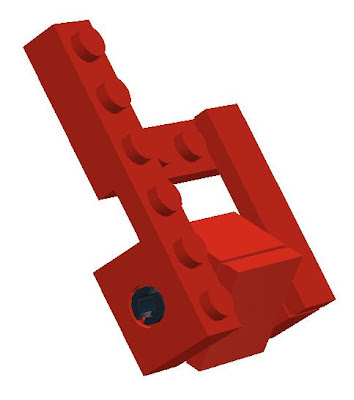
For the arms, this hinge was too large. But then I realized that less resistance was required for the arms and a single hinge would do. Perfect! Now I had the robot skeleton, I just needed the car exterior.
Inspired by Elegant Design
Many months later, when looking for a new Lego set for my son, I saw a new car set (#4939) that was perfect for the project. I’m not an artist by any means, so one of the challenges has been finding Lego car designs to emulate. Previously they had always been either too big or too small. At one point I had been very excited about the Ferrari that comes with both red and yellow exterior pieces, but it was double the size I needed. Set #4939 seemed to be the perfect size. It didn’t hurt that it was very cool looking and reasonably priced. I had the feeling that this was it, I was finally going to achieve the goal.
Using set #4939 as inspiration, I was able to layer a car exterior onto the robot skeleton without too much trouble. As a bonus, the head, which had previously never really worked out well, was just there. I was within reach of the goal. But still one problem remained. I couldn’t cover the shoulder and hip joints without preventing transforming. I needed something that would allow the top and bottom parts to slide out and then lock in place. I had created parts that slid from place to place before for other Lego projects, but never something that could also lock in place.
Sliding Into Home
After trying many variations using small hinges to act as the locks, I had something that worked, but it was just too big. It was also very clumsy. Luckily, I was in denial. I forged ahead anyway. I wasn’t sure what to do about it being clumsy, but I was determined to create more room in the model. The most obvious step was to do what they do to create stretch limousines: take a regular limo and stretch it out. I made the whole model a bit longer, wider, and taller while keeping the same overall proportions. I also removed all unnecessary internal parts or replaced them with parts that would still do the job but took up less space.
It wasn’t enough, and I couldn’t stay in denial about the sliding part being clumsy forever. But while I was stretching things out I observed that some of the technic parts would slide around a little bit when I exerted too much pressure on them. Of course, the part that would give depended on the amount of friction. Whichever had less friction was what moved and the other one did not. From that came the solution: two bricks together to anchor the axle, and one brick that moved freely but with enough friction that it would stay wherever it was slid to.
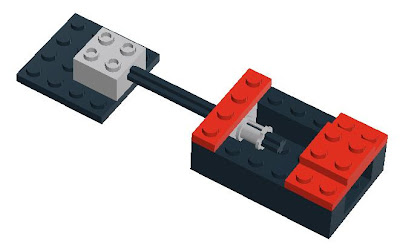
The slider was the last major challenge. Once I had this part, it was just a matter of trial-and-error shifting things around until it all worked. There are two sliders; one for the lower body, and one for the upper body, the following picture shows the car with the upper and lower body pulled out as the first steps of transforming.

After the car has been extended, the legs are unfolded.

Lastly, the arms are extended. The head is also fully articulated.

There is still room for improvement, but at this point I think it is more a matter of aesthetics than mechanical design. I’m happy with the current design and hope that perhaps a Lego fan with more art skills than I will take the design to the next step. My other hope is that perhaps the amazing folks at Lego will start producing transforming Lego sets. And of course, if they were Transformer branded, that would be a wonderful (but not necessary) bonus.
[Get the LDraw model for the car here . ]
Motivation, skill, and experience all play important roles in the design process, but they are no guarantee that you are going to be able to design, let alone build what you have set out to do. It almost always requires trial-and-error, serendipity, creative inspiration, research, and an open mind.
Next: Frequent Releases Improve Code Quality Faster
Thursday, May 1, 2008
The Iterative Design of a Lego Sports Car that Transforms Into a Robot, Part I
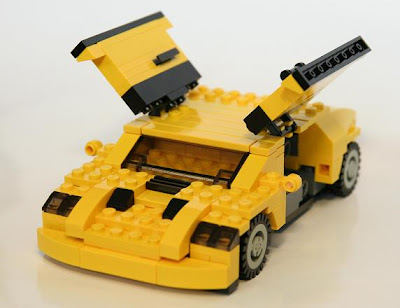
In the lead-up to the debut of the movie “Transformers,” there was already plenty of Transformers merchandise available. My son, who was 2 ½ years old at the time was instantly entranced. While my wife was strolling him through the bookstore he grabbed a Transformers calendar without her noticing. When she got to the register he then used his charms to convince her to buy it.
The Challenge
This got me to thinking. Wouldn’t it be fun to build my son a car out of Legos that could transform into a robot? After all, how hard could it be? I decided to give it a shot and I set myself the following design goals and constraints:
- Build a Lego model that has two forms: a sports car and a robot
- Folks looking at it agree that each form is clearly recognizable as that form
- On casual inspection, it doesn’t look like it transforms
- 100% Lego, no other parts, and no glue
- Easily held in one hand
- Strong (parts don’t fall off easily during use)
- Robot form can stand on its own
- The model can easily transform from one form to the other
- Model is completely connected and transformation does not require the addition or removal of any parts
- Fully articulated
As the project progressed, I wasn’t thinking of it as an exercise in iterative design or a formal project, it was always just something I did for fun in my spare time. I didn’t realize the link to iterative design until I started talking to people about the history of the project.
Transforming Requirements Into Working Software
When working with software, even if you have clear requirements that you have validated with users, it is not always clear how you will implement them. The search for a solution has two possible components: thinking about how to do something and implementing something. When thinking about how to do something, that’s really just fantasizing. Of course, it is fantasizing that is focused on producing something real, and it is more likely to produce something real than fantasizing about winning the lottery, but it is still fantasizing.
Requirements, analysis, specifications, and design are all examples of fantasizing. Yes, it is useful to do it, and you will often hit on solutions or eliminate problems much more quickly and much more economically than creating something real without giving it the same amount of thought, but fantasizing is only an approximation of reality, an interlocking web of educated guesses. Not until you actually attempt to create something real will you find out how all of the individual requirements interact and the real costs and difficulty involved. You don’t always find a clear match between requirements and implementation that is cost-effective to implement. In this case you have four paths forward: implement with the closest match and hope for the best, search for new possibilities, invent new possibilities, or shelve the project.
Transforming Lego Car, Iteration 1
The first attempt to build the transforming Lego car didn’t go very well. I was able to create a reasonable looking car which had lots of interior space for the mechanics needed to transform, but creating the sliding parts and the joints proved to be more difficult than I had imagined. I had lots of different hinges, flat parts, special joints, and Technic parts, but all of the possibilities I came up with were either too big, too fragile, too loose, or didn’t support articulation well enough. I was stumped. After a quick trip to the nearby Lego store to see if there was something I had missed, I reluctantly decided to shelve the project.
From a requirements perspective, I had satisfied requirements 2-6, which is half of the requirements. Of course, it was easy to satisfy "doesn't look like it transforms" because it didn't transform at all. :-) From an Agile perspective, the car was fully functional as a car in its own right, and I had discovered lots of valuable information that would help with later iterations of the car.
Little did I know that a hidden bias had kept me from seeing what was right in front of me. It wasn't until a couple of months later that serendipity broke through that bias and brought together the necessary ingredients for the first transforming version of the car.
Next: Part II (of 2)

Thursday, April 24, 2008
Applying Usability to the Software Development Process
In order for something to become widely adopted, it has to provide an advantage that is significantly greater than whatever it replaces, and the advantage has to be easily accessible to a mainstream audience. Another way to describe “easily accessible” is to use the term “usability.” That which has high usability is more likely to become mainstream.
There’s a lot of literature on the usability of both software and everyday objects. But what does usability mean when applied to the process of software development itself? If we think of the myriad steps we use to produce software as the implementation of a software development process, then we can think of that implementation as software and consider its usability.
To consider the usability of a particular process, we first have to have a measuring stick for usability. Here’s a set of categories loosely based on some of the chapters from Joel Spolsky’s excellent book “User Interface Design for Programmers” and also adding in “visibility.”
Feedback
We get feedback our whole lives. When we first come into the world, we need constant feedback in order to learn how to survive. Touching something hot is painful, going without food is painful, falling down stairs is painful. In school we get feedback as to which subjects we are good at and which subjects we are not so good at. We can use this feedback to decide what to do more of, what to avoid and as an aid to improve, if we are able to.
The software development process, along with its rules, is just one process that you are a part of. Process, rules, and laws are all around you. You don’t have to consciously think about them but you are constantly reacting to them and they are second nature to you. On your way to work you drive on the correct side of the road, you stop at stop signs, and you stay in your own lane. When you go to lunch, you pay for your food. After work you go to your house instead of going to somebody else’s house.
It is easy to remember the laws, rules, and processes because you interact with them every day and you get feedback in the form of reminders and possibly even unpleasant consequences when you go astray. A great example of this is the rumble strip that has become commonplace on the side of highways. If for some reason you start to drift off the road, you’ll hear a loud warning noise as your tires hit the rumble strip. If you are really violating the law, you’ll hear an even louder sound accompanied by flashing lights. This is also known as feedback.
With traditional development, the development timeframe is much longer and thus the feedback loop is much longer. With Agile, the feedback loop is usually no longer than a month and often on a weekly basis.
Consistency
An important part of absorbing all of these laws, rules, and processes is that they are clearly defined, easy to understand, and easy to remember. For instance, once you have mastered basic physical laws such as the fact that running at full speed into a door is painful, it is easy to understand the reasoning behind having an upper limit on the speed of vehicles on public roads. You may disagree with that limit, but you can generally guess what the limit is for a given stretch of road and it is posted at regular intervals to help you score your guesses. Sometimes there is even a referee.
In traditional development, the long timeframe makes it difficult to absorb what the actual process is and usually everybody has a different mental model of that process. When people have different mental models for the same process, bad things happen. In Agile development, the process is far simpler and much easier to absorb. You have a chance to see the full process from start to finish on a very regular basis.
Expected Behavior
When something happens unexpectedly, it interrupts our train of thought and slows us down. It is a little bit like taking a wrong turn and becoming lost. We have to take time to figure out where we are and how to get back to familiar territory. Most of the time, when working on a software project we are concentrating on a single task that we alone are responsible for.
Consider software development from your own perspective. I’ll bet that you identify with most or all of the following statements:
With traditional development, there is generally much more process to cope with the greater complexity of trying to develop a much larger increment of functionality over a much longer time period. Because of the large gap between how one would develop software on one’s own and how one develops software as part of a much larger process, the steps in the process are often counter-intuitive and thus it is much harder to establish a natural rhythm.
Visibility
It is hard to know what to do next if you aren’t sure where you are. Visibility is akin to project status. Do you feel like you know exactly where you are and what to do next at every step of the process? Or do you feel pulled in a million different directions at once and lose track of what you’ve already done and what you need to do next? If you do feel like you’ve finally “got” how software is developed in your organization, how long did it take to get to that point?
In a traditional project, it is almost impossible to see at a glance what the real project status and progress are. You know that you won’t really know until sometime after code freeze. In an Agile project, the next milestone is much closer, so it is much simpler to see where you are. Granted, if your real goal is six iterations out, you don’t have the same sort of visibility into the next five iterations, but the chances of risks hiding out until code freeze is substantially reduced.
The Usability of the Software Development Process
Based on just these few criteria, it is clear that traditional software development suffers from poor usability and hinders the ability of otherwise competent people to get their work done. While it is true that people can succeed on projects that have very long timeframes and involve a high degree of stress at the end, that mode of working does not align well with our strengths as human beings.
People are much more productive and much less prone to error when they work at a constant and sustainable pace. This also means that when there are unforeseen circumstances, people are more likely to be able to respond well.
Agile Development provides frequent feedback via short iterations, a simple process which is more in keeping with natural human rhythms and capabilities, and significantly more visibility into project status and progress. This creates a highly usable and people-oriented software development environment.
Next: It is Not the Bug That Bends, it is Ourselves
There’s a lot of literature on the usability of both software and everyday objects. But what does usability mean when applied to the process of software development itself? If we think of the myriad steps we use to produce software as the implementation of a software development process, then we can think of that implementation as software and consider its usability.
To consider the usability of a particular process, we first have to have a measuring stick for usability. Here’s a set of categories loosely based on some of the chapters from Joel Spolsky’s excellent book “User Interface Design for Programmers” and also adding in “visibility.”
Feedback
We get feedback our whole lives. When we first come into the world, we need constant feedback in order to learn how to survive. Touching something hot is painful, going without food is painful, falling down stairs is painful. In school we get feedback as to which subjects we are good at and which subjects we are not so good at. We can use this feedback to decide what to do more of, what to avoid and as an aid to improve, if we are able to.
The software development process, along with its rules, is just one process that you are a part of. Process, rules, and laws are all around you. You don’t have to consciously think about them but you are constantly reacting to them and they are second nature to you. On your way to work you drive on the correct side of the road, you stop at stop signs, and you stay in your own lane. When you go to lunch, you pay for your food. After work you go to your house instead of going to somebody else’s house.
It is easy to remember the laws, rules, and processes because you interact with them every day and you get feedback in the form of reminders and possibly even unpleasant consequences when you go astray. A great example of this is the rumble strip that has become commonplace on the side of highways. If for some reason you start to drift off the road, you’ll hear a loud warning noise as your tires hit the rumble strip. If you are really violating the law, you’ll hear an even louder sound accompanied by flashing lights. This is also known as feedback.
With traditional development, the development timeframe is much longer and thus the feedback loop is much longer. With Agile, the feedback loop is usually no longer than a month and often on a weekly basis.
Consistency
An important part of absorbing all of these laws, rules, and processes is that they are clearly defined, easy to understand, and easy to remember. For instance, once you have mastered basic physical laws such as the fact that running at full speed into a door is painful, it is easy to understand the reasoning behind having an upper limit on the speed of vehicles on public roads. You may disagree with that limit, but you can generally guess what the limit is for a given stretch of road and it is posted at regular intervals to help you score your guesses. Sometimes there is even a referee.
In traditional development, the long timeframe makes it difficult to absorb what the actual process is and usually everybody has a different mental model of that process. When people have different mental models for the same process, bad things happen. In Agile development, the process is far simpler and much easier to absorb. You have a chance to see the full process from start to finish on a very regular basis.
Expected Behavior
When something happens unexpectedly, it interrupts our train of thought and slows us down. It is a little bit like taking a wrong turn and becoming lost. We have to take time to figure out where we are and how to get back to familiar territory. Most of the time, when working on a software project we are concentrating on a single task that we alone are responsible for.
Consider software development from your own perspective. I’ll bet that you identify with most or all of the following statements:
- When working on a software project on your own, you make changes and use the new version right away.
- One of the reasons that you got into software development is the fact that you can make a change and see the result right away.
- When you have something new working for the first time, you want to show it to somebody.
- It isn’t easy to create something that the customer thinks is exactly right the first time.
- Even when creating something for yourself, it isn’t easy to create what you want the first time.
With traditional development, there is generally much more process to cope with the greater complexity of trying to develop a much larger increment of functionality over a much longer time period. Because of the large gap between how one would develop software on one’s own and how one develops software as part of a much larger process, the steps in the process are often counter-intuitive and thus it is much harder to establish a natural rhythm.
Visibility
It is hard to know what to do next if you aren’t sure where you are. Visibility is akin to project status. Do you feel like you know exactly where you are and what to do next at every step of the process? Or do you feel pulled in a million different directions at once and lose track of what you’ve already done and what you need to do next? If you do feel like you’ve finally “got” how software is developed in your organization, how long did it take to get to that point?
In a traditional project, it is almost impossible to see at a glance what the real project status and progress are. You know that you won’t really know until sometime after code freeze. In an Agile project, the next milestone is much closer, so it is much simpler to see where you are. Granted, if your real goal is six iterations out, you don’t have the same sort of visibility into the next five iterations, but the chances of risks hiding out until code freeze is substantially reduced.
The Usability of the Software Development Process
Based on just these few criteria, it is clear that traditional software development suffers from poor usability and hinders the ability of otherwise competent people to get their work done. While it is true that people can succeed on projects that have very long timeframes and involve a high degree of stress at the end, that mode of working does not align well with our strengths as human beings.
People are much more productive and much less prone to error when they work at a constant and sustainable pace. This also means that when there are unforeseen circumstances, people are more likely to be able to respond well.
Agile Development provides frequent feedback via short iterations, a simple process which is more in keeping with natural human rhythms and capabilities, and significantly more visibility into project status and progress. This creates a highly usable and people-oriented software development environment.
Next: It is Not the Bug That Bends, it is Ourselves
Subscribe to:
Posts (Atom)